

Discover the best online PDF tools and platforms to help students format, convert, merge, and organize research papers, assignments, and academic projects efficiently.
Creating a professional PDF for a research paper, assignment, thesis, or academic project does not have to be complicated. Students regularly work with academic reports, presentations, notes, and other documentation where proper formatting matters for university submissions. Converting these files into a clean PDF ensures the layout remains intact across different devices.
Several online PDF creation websites allow students to convert and format files without installing desktop software. These platforms also provide tools for editing, compressing, merging, and organizing academic documents.

Here are five useful PDF platforms worth considering for student research and academic work.
### 1. Canva PDF Maker
Canva is a popular choice for students who want their research reports and academic projects to look visually organized. Its PDF maker can be used for presentations, project documents, and educational materials. The platform provides templates and design tools that help students arrange text, images, and charts.
* **Best for:** Research reports, academic projects, presentations, visual assignments, group projects, and student portfolios.


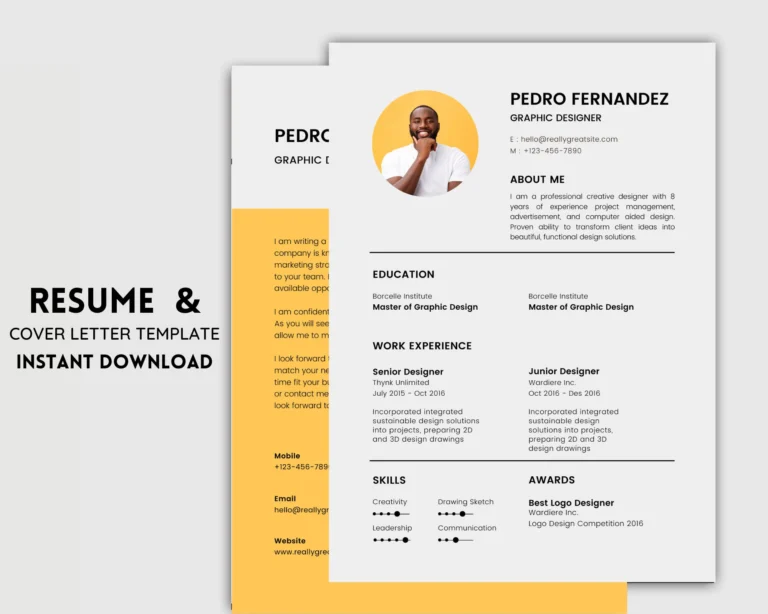
For research projects that include charts, timelines, or other visual elements, Canva allows students to focus on both content presentation and structured layouts.
### 2. Adobe Acrobat Online
Adobe Acrobat is one of the most established PDF platforms and offers a broad suite of online document tools. Students can use Acrobat to convert documents and images into PDFs, edit files, merge documents, compress sizes, and organize pages. Adobe also includes features like OCR and digital document management.
* **Best for:** Research papers, Word-to-PDF conversion, scanned documents, PDF editing, and managing large academic files.


Adobe Acrobat is particularly useful when a student has a document created in Microsoft Word and needs to convert it into a polished PDF while preserving formatting, fonts, and page numbers.
### 3. Smallpdf
Smallpdf provides a straightforward, browser-based PDF workflow for everyday student tasks. The platform can convert Word, Excel, PowerPoint, and image files into PDFs through a simple upload-and-convert process.
* **Best for:** Assignments, research documents, Word-to-PDF conversion, image-to-PDF tasks, and file compression.
This platform is helpful when a university imposes a specific file-size limit for an assignment submission. Students can convert their research document to a PDF and use compression tools if the file is too large to upload.
### 4. iLovePDF
iLovePDF is a well-known online platform for managing multiple document files. Students often use these tools when they need to combine separate files, split pages, or compress a large research paper before submission.
* **Best for:** Combining research documents, compressing PDFs, splitting large documents, and managing multiple files.
For example, if a student has a research paper, a bibliography, and an appendix saved separately, an online PDF management tool can help combine them into a single organized file.
### 5. PDF2Go
PDF2Go provides a quick browser-based solution for everyday PDF conversions and basic document editing. It is useful when students need a fast online tool without downloading or installing software.
* **Best for:** Quick PDF conversions, basic editing, compressing files, and everyday academic documents.
For students who frequently transition between word processing files, images, and PDF formats, having a reliable online tool can simplify routine academic tasks.
### Which PDF Creation Website Is Best for Students?
The right platform depends on the specific requirement of your project:
* **Canva:** Best for visually attractive research reports and presentations.
* **Adobe Acrobat:** Best for professional PDF creation, editing, and document management.
* **Smallpdf:** Best for quick conversions and file management.
* **iLovePDF:** Best for merging, splitting, and compressing PDFs.
* **PDF2Go:** Best for quick online editing and file conversion.
### Essential Steps to Create a Research PDF
Preparing a professional research document typically involves a few key steps:
1. **Write the Research:** Prepare your research paper or academic report using your preferred word processor.
2. **Organize the Document:** Include necessary sections such as a title page, introduction, research question, methodology, findings, conclusion, and references.
3. **Check Formatting:** Review headings, page numbers, spelling, citations, tables, images, and margins before conversion.
4. **Convert the File:** Upload your document to a PDF creator or export it directly from your writing software.
5. **Review the Final PDF:** Always open the finished PDF before submitting it to check for missing pages, broken formatting, or alignment issues.
### Why PDF Format Matters for Academic Submissions
The PDF format is widely used in education because it preserves the intended layout of a document. A research paper that looks correct on one computer can sometimes display differently when opened in another application. Converting the final text to a PDF ensures consistent presentation across different systems.
However, students should remember that a PDF creator only improves presentation and does not replace rigorous academic research. Researchers must still verify facts, cite sources correctly, avoid plagiarism, and follow their institution's specific guidelines.